
Application Management in AZExecute
AZExecute provides comprehensive management for Microsoft Entra ID application registrations and their associated service principals. This feature set enables automated credential rotation, certificate lifecycle management, permission governance, and integration with Azure and third-party services.
What are Applications?
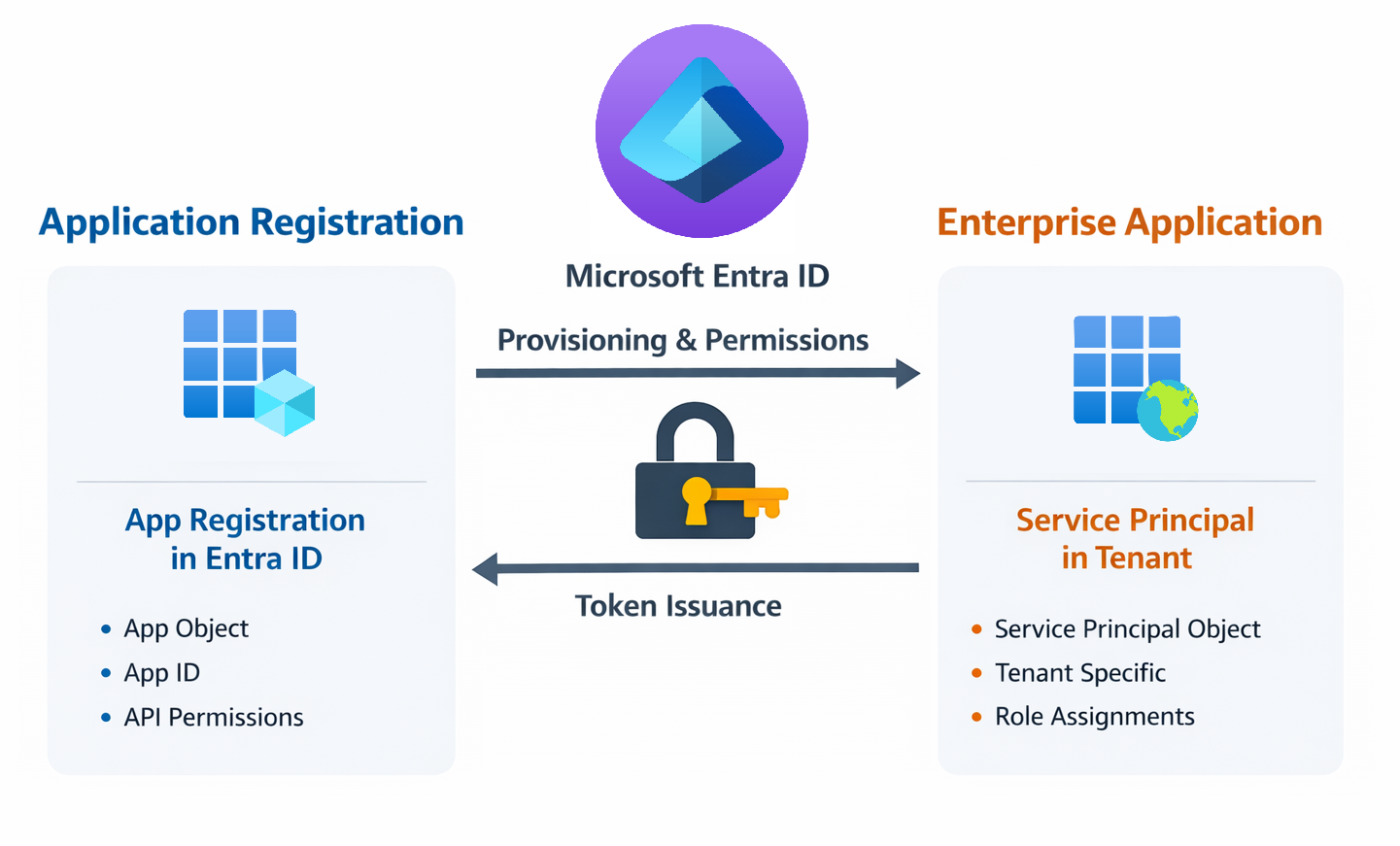
In Entra ID, an Application Registration defines your application and its authentication requirements, while a Service Principal represents the application's identity in a specific tenant. Together, they enable secure, automated access to Azure resources and APIs without requiring interactive user authentication.
Key Features
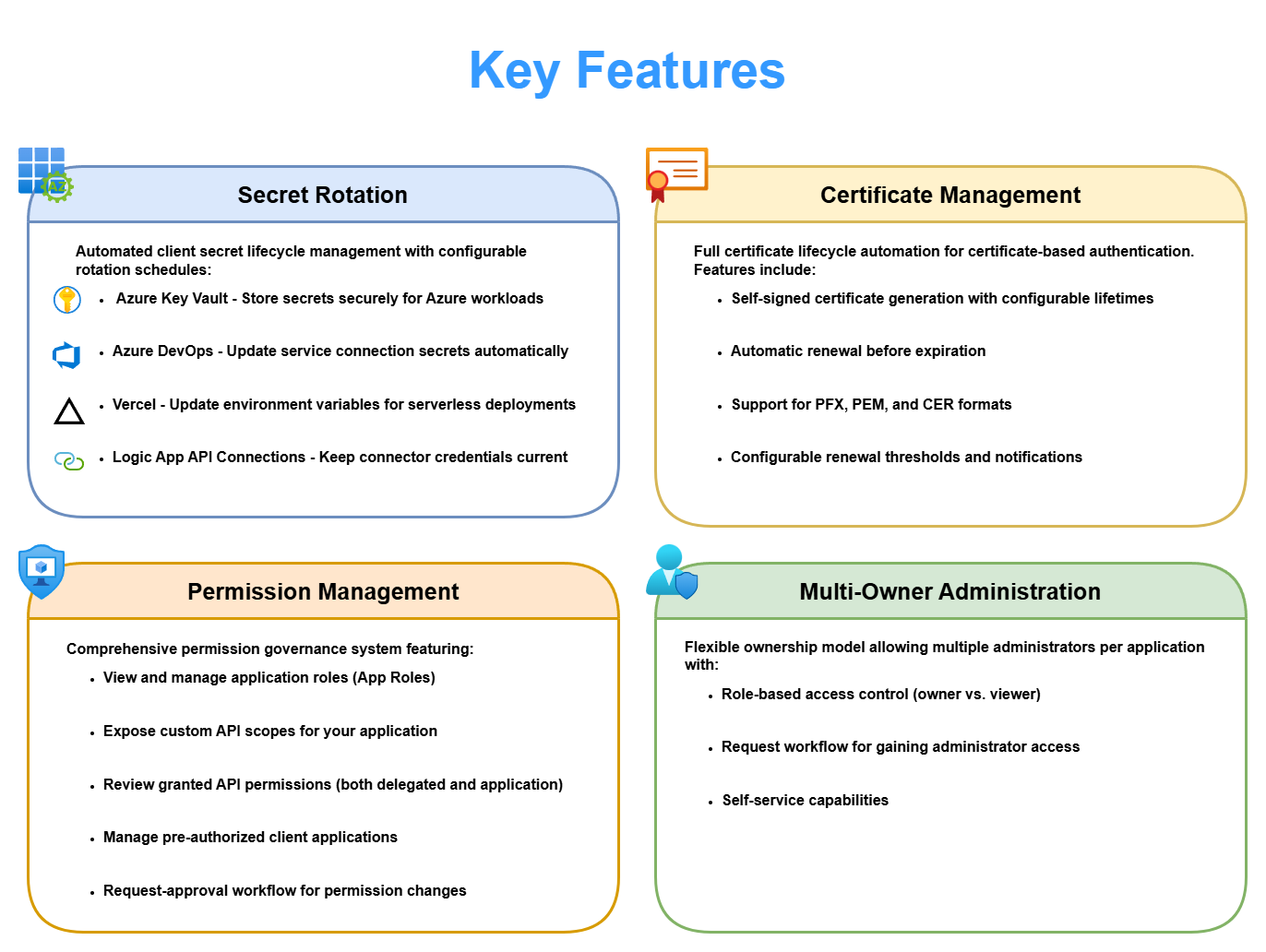
Secret Rotation
Automated client secret lifecycle management with configurable rotation schedules. Secrets can be automatically deployed to multiple destinations including:
 • Azure Key Vault - Store secrets securely for Azure workloads
 • Azure DevOps - Update service connection secrets automatically
• Vercel - Update environment variables for serverless deployments
• GitHub Actions - Update repository or environment secrets and dispatch workflows
 • Logic App API Connections - Keep connector credentials current
• Custom Automation Tasks - Trigger your own deployment workflows
Certificate Management
Full certificate lifecycle automation for certificate-based authentication. Features include:
• Self-signed certificate generation with configurable lifetimes
• Automatic renewal before expiration
• Seamless deployment to Azure Key Vault
• Support for PFX, PEM, and CER formats
• Configurable renewal thresholds and notifications
Permission Management
Comprehensive permission governance system featuring:
• View and manage application roles (App Roles)
• Expose custom API scopes for your application
• Review granted API permissions (both delegated and application)
• Manage pre-authorized client applications
• Request-approval workflow for permission changes
Registration Configuration
When enabled by a tenant administrator, application owners can manage redirect platforms, supported accounts, authentication settings, app roles, identifier URIs, delegated scopes, and pre-authorized clients directly from the application's Configuration tab.
Multi-Owner Administration
Flexible ownership model allowing multiple owners per application with:
• Role-based access control (owner vs. viewer)
• Request workflow for gaining owner access
• Audit trails of all administrative actions
How To Navigate in the App
1. Open Applications from the main navigation
2. Import or select an application registration
3. Configure secrets/certificates and required integrations
4. Assign owners and confirm ownership requirements
5. Keep application state as Active for automation processing
Application States
Applications in AZExecute can exist in different states that control automated processing and available actions:
Active: Full automation enabled - secrets and certificates rotate automatically
Disabled: Automation paused - no automated rotations occur
Deleted: Soft-deleted - can be reactivated if application still exists in Azure
Orphaned: Service Principal missing but Application Registration exists
MissingInAzure: Application was deleted from Entra ID but remains in database
Error: Critical data integrity issue requiring investigation
Common Use Cases
Automated Secret Rotation for Microservices
Configure your application to rotate secrets every 90 days with automatic deployment to Azure Key Vault. Your microservices retrieve the current secret from Key Vault, ensuring zero-downtime credential updates.
Certificate-Based Authentication for Production Services
Enable certificate authentication with automatic annual renewal. Certificates are deployed to Key Vault 30 days before expiration, allowing ample time for testing before the old certificate expires.
Vercel Serverless Applications
Automatically rotate client secrets and update Vercel environment variables across production, preview, and development environments. Optionally trigger automatic redeployment to apply changes immediately.
Permission Governance
Use the permission request system to implement approval workflows for API access. Application owners can review and approve permission requests from other applications, maintaining least-privilege security posture.
Getting Started
To begin managing applications in AZExecute:
1. Import existing application registrations from Entra ID
2. Configure secret rotation, certificate management, or both
3. Set up integrations with Key Vault, DevOps, Vercel, or other services
4. Add owners who can manage the application
5. Activate the application to enable automated rotation