Application Requests, Permissions + Infrastructure Automation

Give users
Self-service. Keep administrators in control.

Let users request Entra applications, Microsoft Graph and internal API permissions, identity changes, certificates, DNS changes, and approved infrastructure operations through guided forms. AZExecute validates the information, routes approval, executes the work across Azure and on-premises systems, and records every result.

  • Data remains in Denmark or Sweden across multiple locations
  • Entra ID + Azure RBAC native
  • Cloud, Azure Arc + on-premises
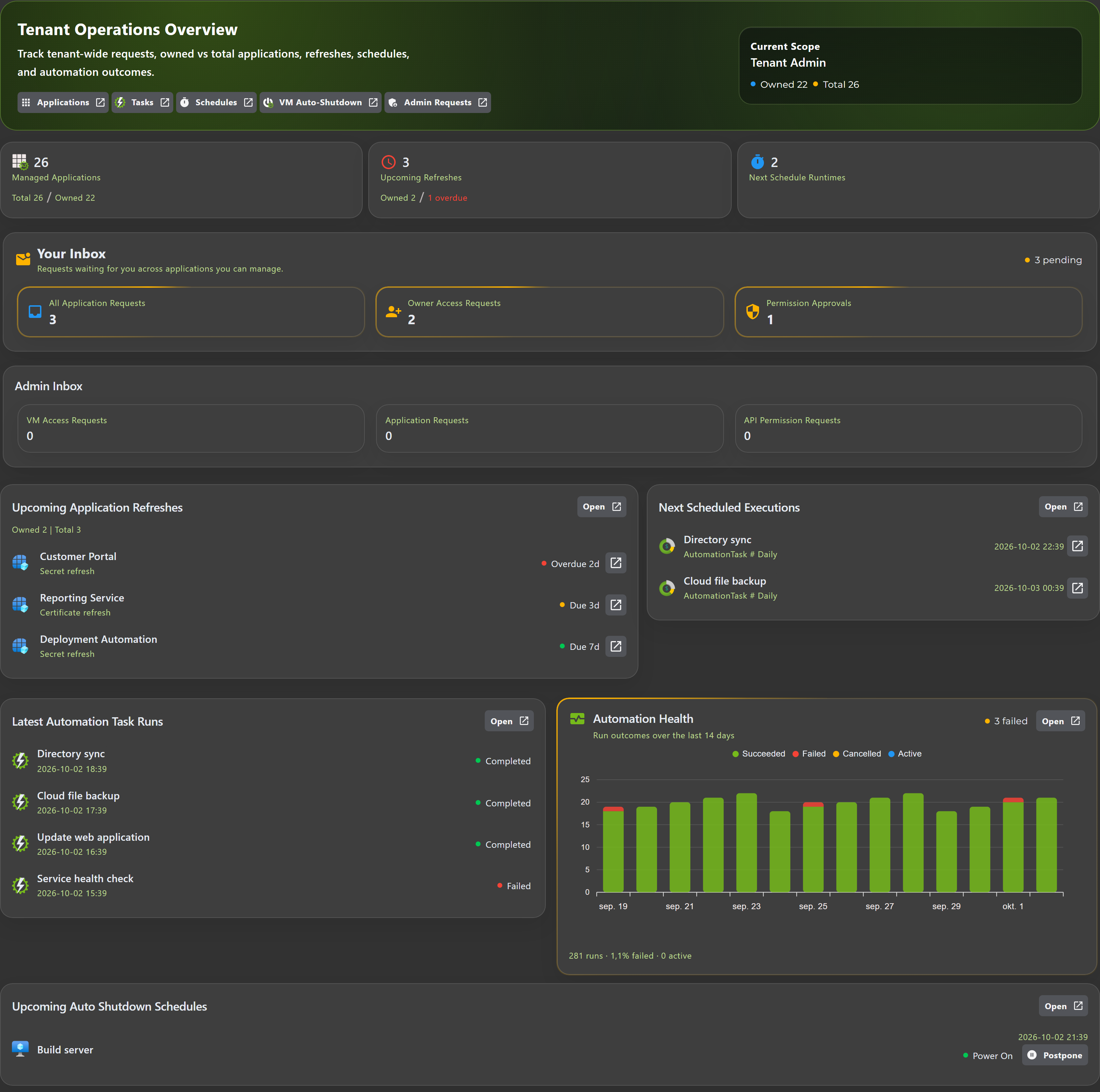
AZExecute portal overview
Every request approved, executed, and recorded

Built For Governed Operations

Native control for Azure with reach across hybrid infrastructure

Microsoft Entra IDMicrosoft GraphAzure RBACAzure Resource GraphAzure AutomationAzure Arc + Hybrid AgentsSignalR Live DataEvent-Driven AutomationACME Certificate LifecycleNordic Data Residency

Replace Common IT Requests

Turn repeatable tickets into safe self-service

Request New Entra Applications

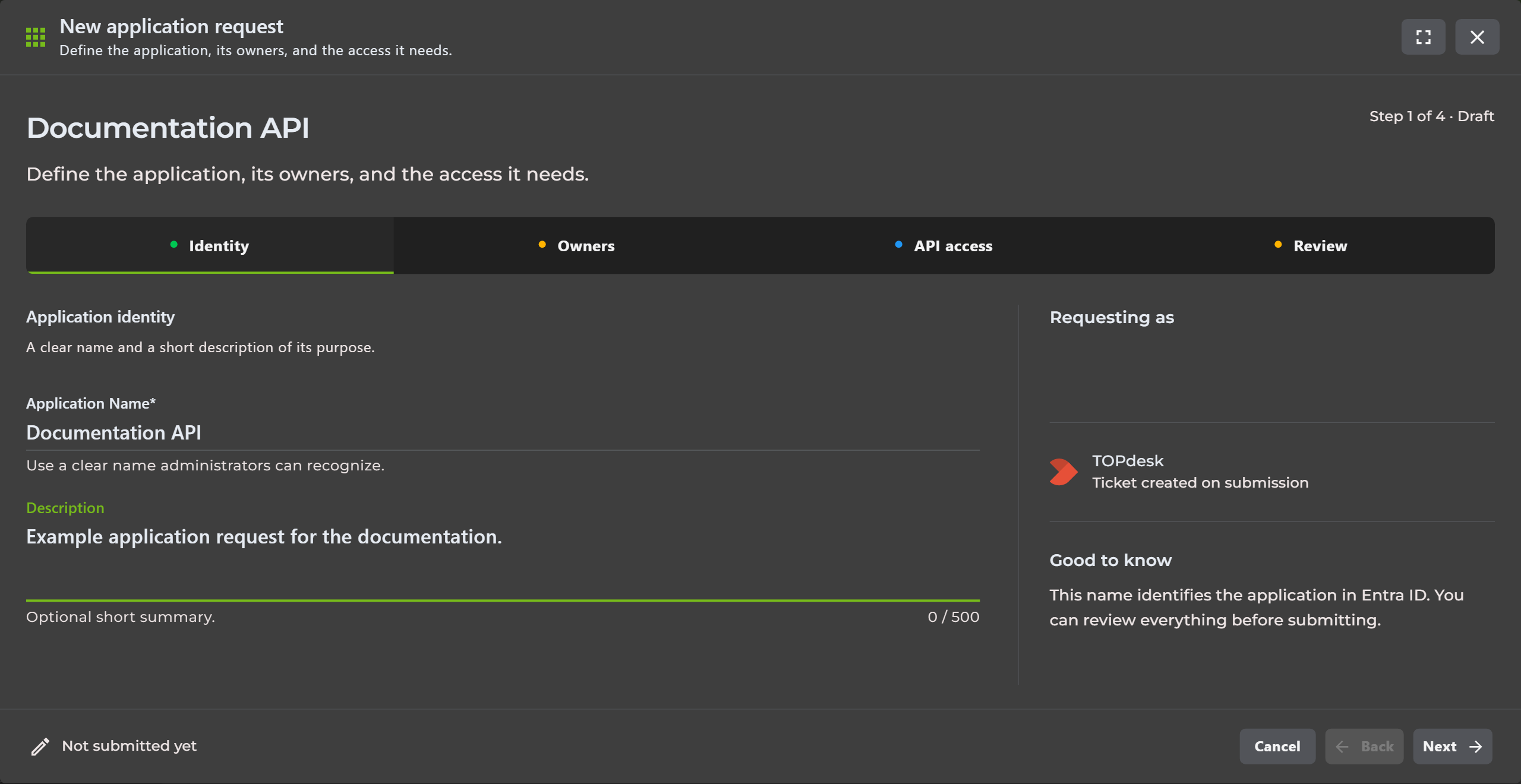
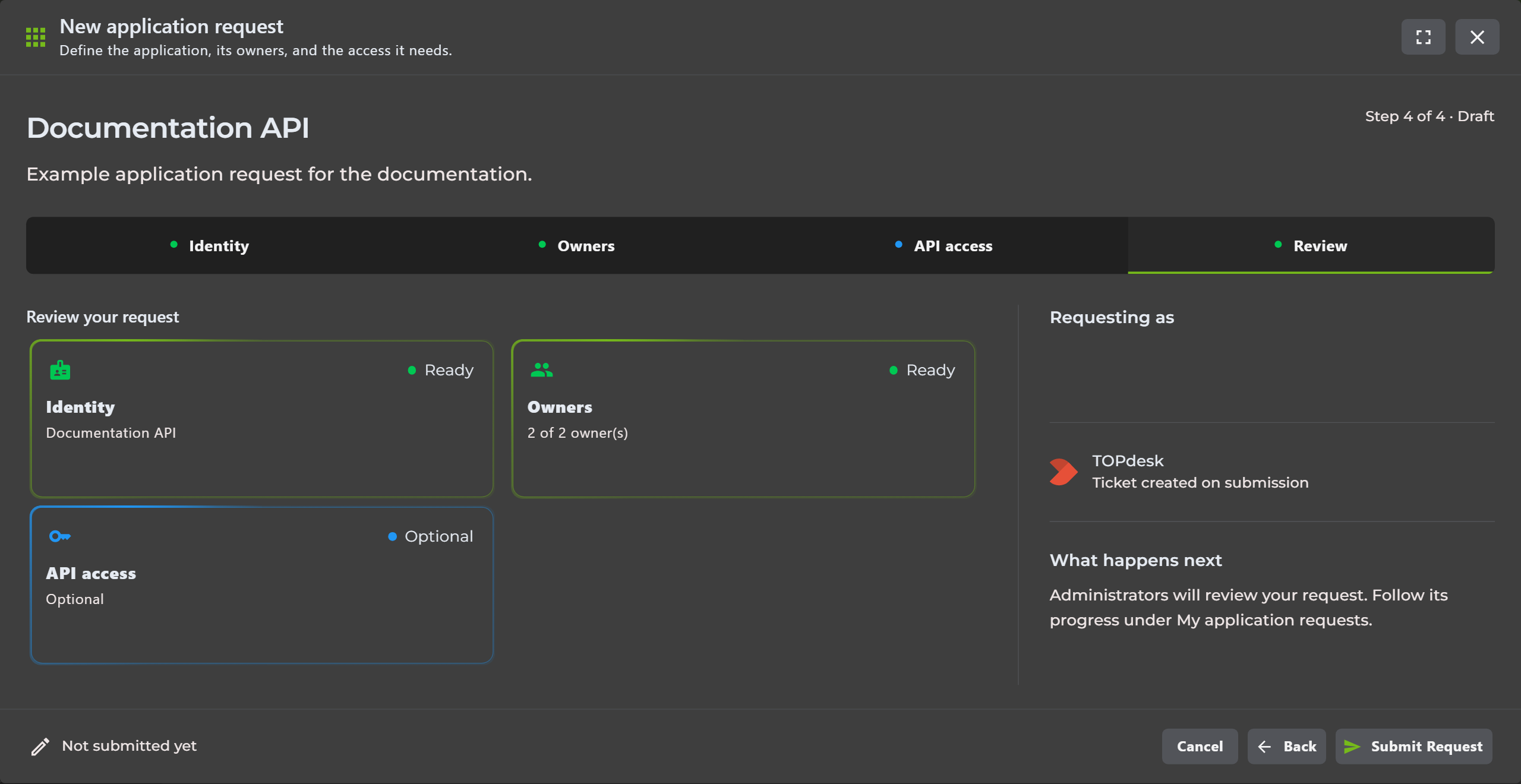
Collect business purpose, responsible owners, metadata, credential requirements, and initial API access before AZExecute provisions the application registration and service principal.

Request Internal Or External API Access

Handle application roles, delegated permissions, Microsoft Graph access, justification, owner approval, tenant approval, and consent in one visible request flow.

Complete Identity And Directory Changes

Publish approved identity, user, group, and directory updates as guided operations instead of relying on free-form tickets, scripts, or broad administrative access.

Run Infrastructure And Azure Operations

Turn repeatable Azure, server, service, virtual machine, DNS, file, and connected-system actions into controlled self-service operations.

Renew And Deploy Certificates

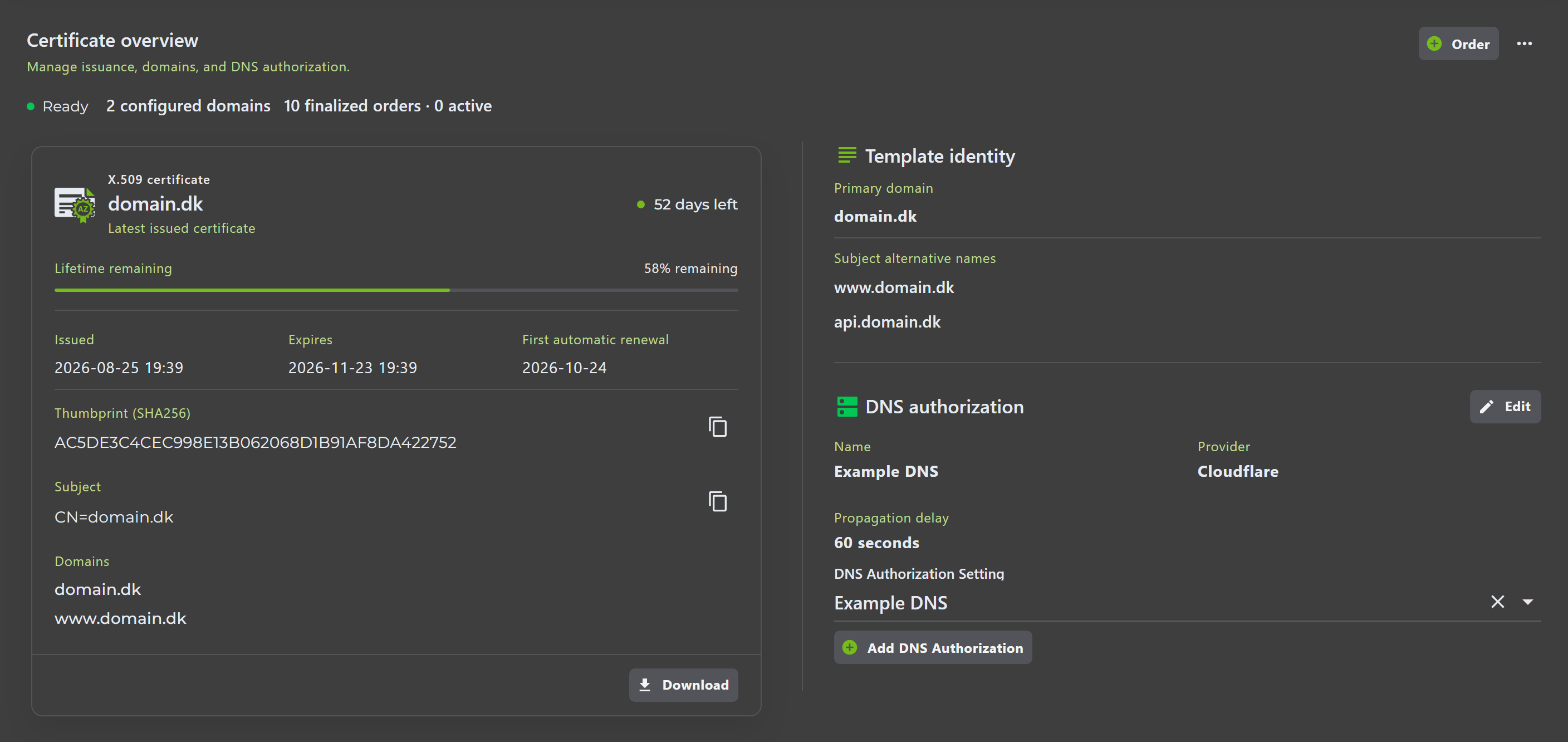
Automate ACME ordering, DNS validation, renewal, notifications, and the deployment workflows that should run when a certificate changes.

Give Support Safe Operational Actions

Let support staff run approved diagnostics and remediation with validated inputs while administrators control access, approvals, and the underlying automation.

From Request To Recorded Result

One controlled flow from user input to completed work

Capability 1

Start With A Guided Request

Replace a technical ticket with a form designed for the operation. Required fields, validation, protected values, and live directory or infrastructure lookups collect complete information the first time.

Capability 2

Apply Access And Approval Rules

Publish the request only to the right users and groups. Route sensitive application, permission, identity, and infrastructure changes to the responsible owner or administrator before execution.

Capability 3

Provision Applications And Permissions

Create the app registration and service principal after approval, retain business metadata and ownership, and handle internal or external API access through the correct consent path.

Capability 4

Execute Across Every Environment

Run reusable workflows across Azure, Azure Arc, on-premises agents, scripts, runbooks, pipelines, directories, DNS, certificates, and connected platforms from the same request.

Capability 5

Show Progress As The Work Happens

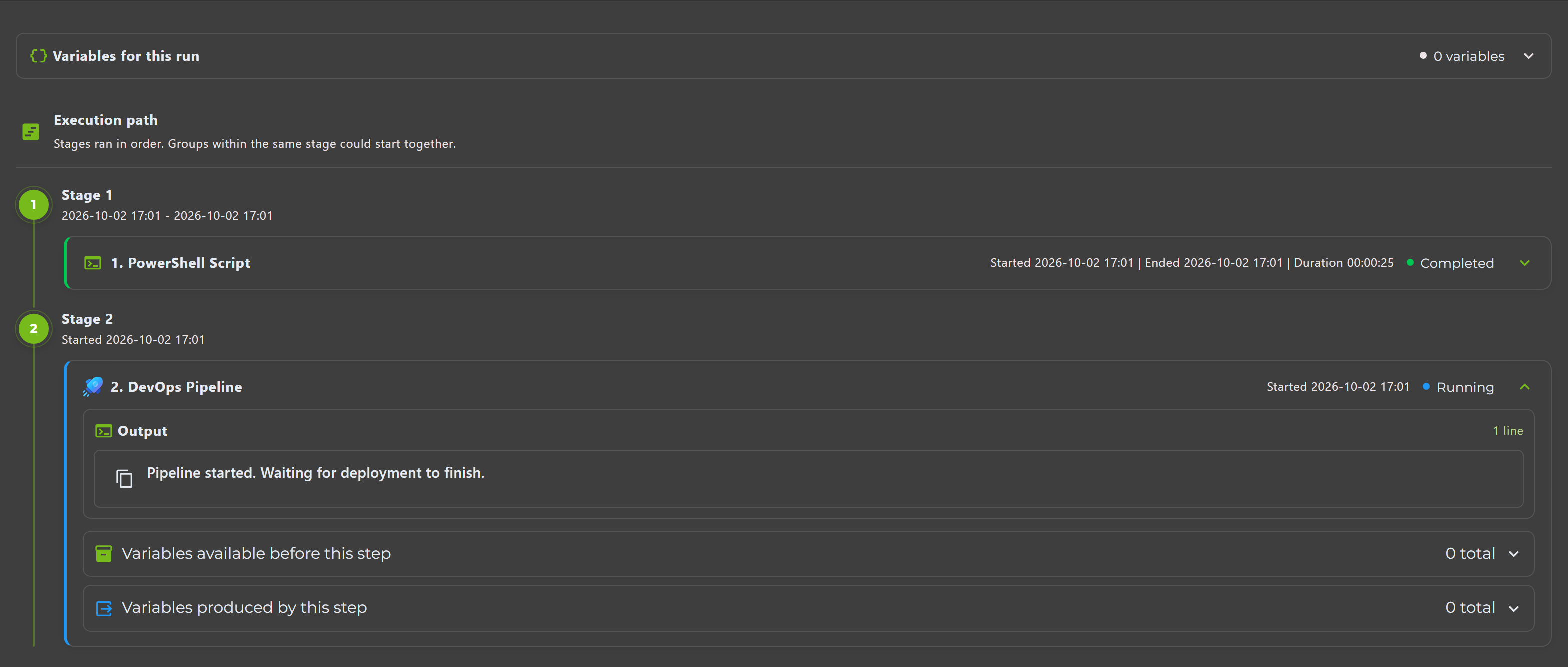
Use SignalR-powered agents and live execution updates to show current status, console output, decisions, and results without waiting for a ticket to be manually updated.

Capability 6

Record Results And Automate Follow-Up

Keep the request, approval, execution history, output, and result together. Let events start remediation, create an incident, notify owners, or trigger the next workflow automatically.

Application Governance + Hybrid Operations

The platform behind the self-service experience

Application Self-Service And Lifecycle

Let teams request new Entra applications with responsible owners, business metadata, credential policy, and initial API needs. After approval, provision the app registration and service principal, then manage registration settings, secrets, certificates, and lifecycle status from one place.

Internal And External Permission Requests

Request application roles, delegated scopes, and pre-authorized client access from AZExecute-managed APIs or external APIs such as Microsoft Graph. Route internal requests to API owners and external consent to tenant administrators with complete decision history.

Hybrid Automation Engine

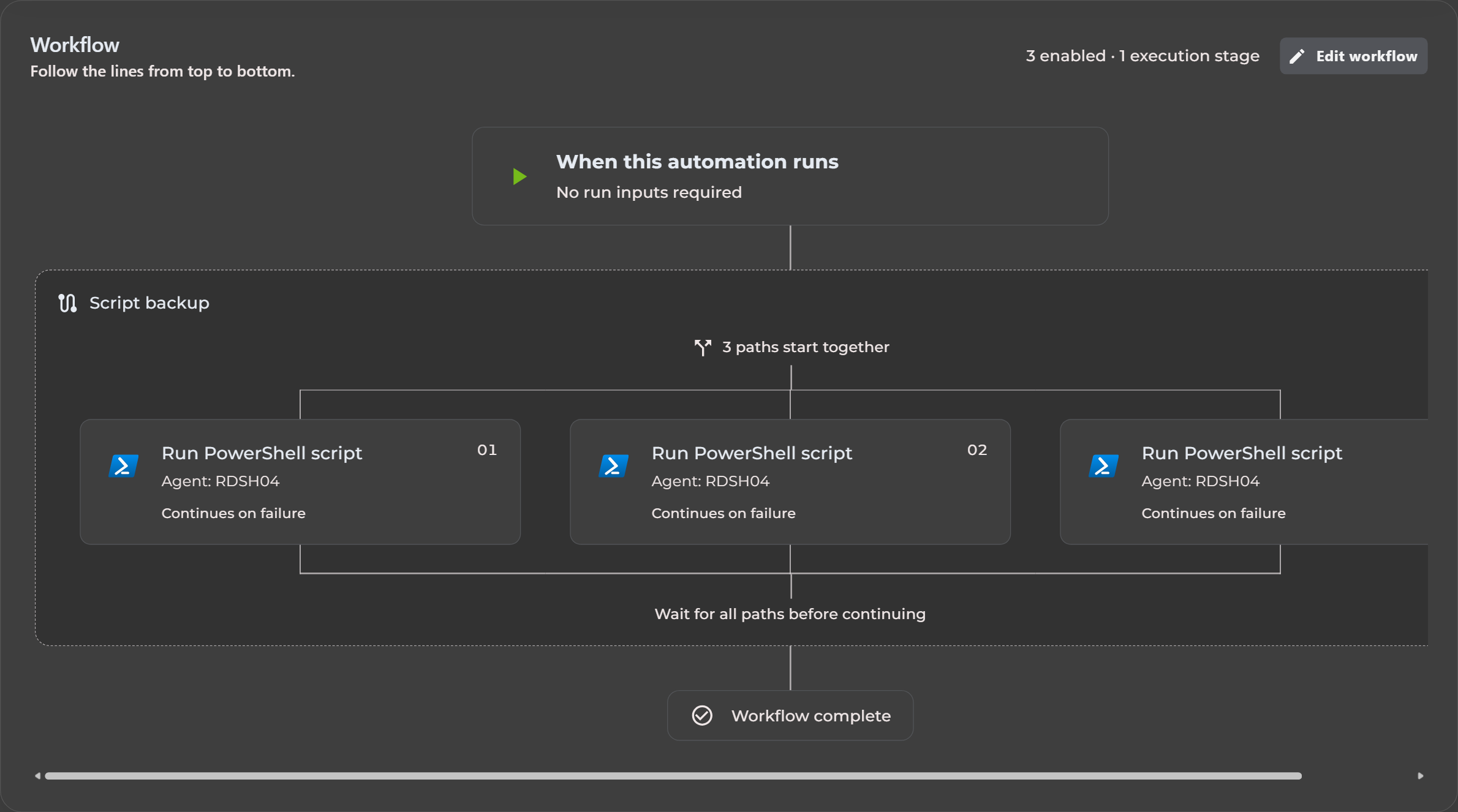
Compose reusable workflows from 27 native step types spanning Azure, PowerShell, Bash, agents, runbooks, DevOps, GitHub, Active Directory, DNS, SCOM, TOPdesk, files, and certificates.

Guided Self-Service Inputs

Replace risky free text with validated fields, encrypted passwords, reusable dropdowns, Resource Graph selectors, and live Active Directory or Entra user and group searches.

Live Agent-Powered Operations

Use real-time SignalR connections for live console output, immediate work notifications, and current data from Active Directory, Windows DNS, SCOM, and local file systems.

Event-Driven Operations

React to application requests, credential changes, certificate renewals, task outcomes, and approval decisions by starting automation tasks or creating TOPdesk incidents with event context.

Zero-Touch Certificate Lifecycle

Automate ACME ordering, DNS validation, renewal, notifications, and post-renewal deployment flows across agents, applications, network appliances, and Azure-native services.

Connected Infrastructure Ecosystem

Coordinate Microsoft services with AWS, GitHub, Vercel, Cloudflare, NetScaler, TOPdesk, SCOM, Windows DNS, Simply.com, Cisco Umbrella, and your own scripts.

Nordic Data Residency

Customer data remains hosted in Denmark or Sweden across multiple locations, while secure integrations and hybrid agents bring operational reach to the platform.

Start With One High-Volume Request

Launch without replacing your identity or security model

Step 1

Connect Your Tenant And Infrastructure

Sign in with Entra ID, complete tenant setup, and connect the Azure, agent, directory, certificate, or integration endpoints needed for the first operation.

Step 2

Choose A Repetitive Request

Start with a high-volume application, permission, identity, certificate, DNS, or infrastructure request that currently requires manual administrator work.

Step 3

Define The Form, Approval, And Automation

Choose the required input, responsible approvers, permitted users, workflow steps, notifications, and follow-up while keeping existing identity and access boundaries.

Step 4

Publish, Measure, And Reuse

Release the operation as self-service, follow every run through live status and structured history, then reuse the same controls for the next request.

Automation and cost optimization in AZExecute

For Requesters, Support, And Administrators

Make routine work easier without handing out admin access

Requesters get clear forms and visible progress. Support staff can start approved operations without scripts or broad privileges. Administrators define the inputs, approvals, access, and automation once, then retain control of every execution.

  • Less time collecting missing information and repeating portal work
  • No need to distribute standing administrator access for routine operations
  • One history for the request, decision, execution, result, and follow-up

Which Request Should You Stop Handling Manually?

Turn your next repeatable IT request into self-service

Start with an application request, API permission, identity update, certificate renewal, or infrastructure operation. Keep your existing access model while AZExecute adds guided input, approval, automated execution, live status, and complete history.

An unhandled error has occurred. Reload 🗙